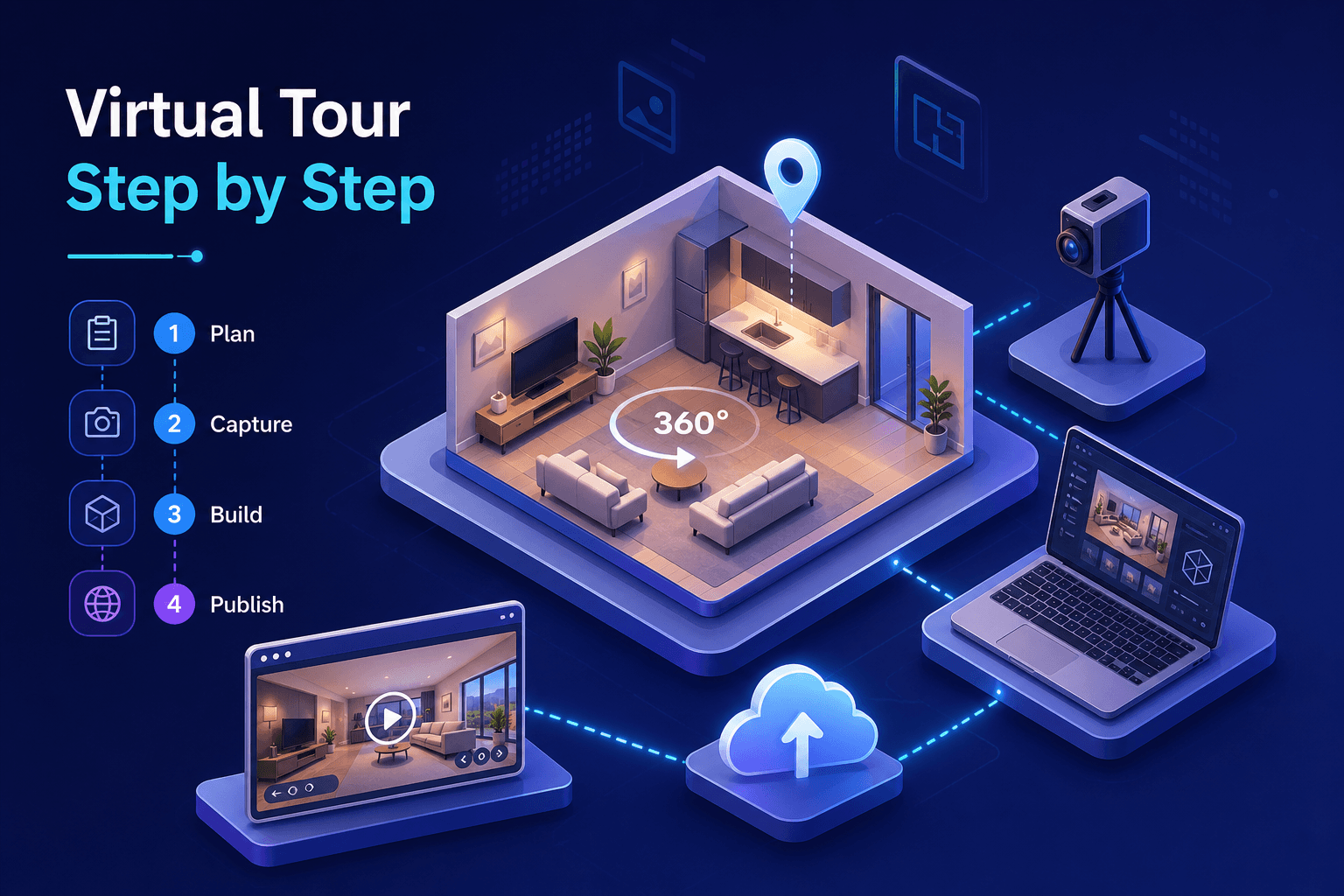
Producing a professional-quality immersive tour is not just about pressing a button. Many property and space managers in Morocco think a smartphone and an app are enough to get a convincing result. The reality is more structured: creating a professional virtual tour involves a complete chain, from defining objectives to delivering an embeddable link ready to integrate on your website.
When this process is formalized, it can be compressed remarkably. Providers like Immersio have industrialized it to deliver professional 3D tours in 48 hours depending on project conditions, AI-assisted post-production included. Understanding each step will help you make the right calls, whether you decide to produce your virtual tour yourself or hand it to a professional.
1. What to prepare before launching the project
Defining the right tour type for your needs
The first decision shapes everything else: choosing between a standard 360° tour and a volumetric 3D tour. A 360° tour is built from spherical panoramic photos assembled into navigable scenes. It is an accessible solution, suited to tight budgets or simple spaces like a studio or a small boutique.
A Matterport 3D tour is a different level: it generates a complete volumetric model with a dollhouse view, an automatic floor plan, and full 360° free navigation. It is the expected standard for high-end hospitality, premium real estate, and showrooms. This technology choice directly determines the equipment needed, the capture time, and the total budget. Some projects go even further by integrating a VR layer, allowing visitors to explore the space with a headset for a fully immersive experience — an option increasingly requested in hospitality and events.
Assessing floor area and site constraints
The surface area to cover determines the number of scan positions to plan for. As a rough guide for standard 360° captures: an 80 sqm apartment typically requires 8 to 12 positions, while a 400 sqm riad may need between 30 and 50. For a Matterport volumetric scan, the recommended density is higher and these figures vary depending on the method and room configuration. The more complex the spaces — narrow corridors, patios, terraces — the higher the count.
Practical constraints are also worth anticipating: natural light quality, reflective surfaces like mirrors and polished tiles, objects to move before the session. A quick pre-visit, even informal, avoids unpleasant surprises on scan day.
2. Which equipment to choose based on your budget and goals
Consumer 360° cameras vs. professional 3D scanners
The range of available equipment is wide. On the consumer side, the Ricoh Theta Z1 (€900–1,100) and the Insta360 X4 (€550–650) can produce decent panoramic tours, sufficient for simple projects or residential properties. Resolution and color accuracy, however, remain below hospitality standards.
For precise volumetric results, the Matterport Pro2 (€3,500–4,000) or Pro3 (€5,500–6,500) are the reference used by major hotel groups and premium real estate agencies. These devices generate 3D models usable at centimeter precision, essential for commercial spaces. Processing speed, texture fidelity, and final render precision differ significantly between these two categories — in terms of sensor resolution, mesh reconstruction, and cloud processing time.
Accessories that make the difference in the field
A stable tripod at eye level is non-negotiable. The Manfrotto Befree, around €100–150, offers the lightness and rigidity needed for most indoor sessions. For dark spaces, a portable LED lighting kit (€50–150) compensates for lack of natural light and ensures consistent exposure across scenes.
Spare batteries are often underestimated: most scanners offer 60 to 90 minutes of continuous use. Bringing at least two extra batteries for a large-space session avoids interruption mid-capture. Even the best scanner delivers mediocre results in a poorly lit or cluttered space.
3. The concrete flow of an on-site capture session
Preparing the space before arriving with equipment
Space preparation takes up a significant share of on-site time — often as much as the capture itself. Turning on all lights ensures consistent exposure across scan positions. Removing temporary objects, making beds, positioning furniture representatively: this work directly conditions the quality of the final result. The most time-consuming elements are staging, lighting adjustment, and scouting difficult angles.
For a riad or hotel, this step must be coordinated with staff well before scan day. Mirrors and glass surfaces deserve particular attention: according to Matterport and Ricoh best practices, reflective surfaces generate artifacts that disrupt the 3D render and may reveal the operator's position in the scene.
How a scan sequence unfolds, step by step
The actual flow is simple but demands rigor. The tripod is positioned at the center of each zone, at eye level, then the scanner performs a full rotation or spherical scan before validating the capture. Each captured position becomes a scene in the final tour: the order and density of points determine the smoothness of navigation.
With a Matterport Pro, a 300 sqm space is generally digitized in 1.5 to 3 hours depending on room complexity, chosen scan density, and operator experience. Real-time quality verification on the control screen is a step not to skip: a failed scan caught on-site is corrected in minutes, versus several hours of additional travel if the error is discovered in post-production.
4. Post-production: from raw data to publishable tour
Assembling scenes, hotspots, and customization
Raw data is not published as-is. Assembling the panoramas or 3D volumetric reconstruction is the first phase. Next comes organizing the scenes in a logical order, mirroring the natural visitor journey through the real space.
Interactive hotspots enrich the experience: navigation links between rooms, text information on equipment, video integration, product labels for showrooms. The opening view and free navigation parameters are also customized to orient the visitor's attention from the very first seconds.
What AI brings to modern post-production
Artificial intelligence has profoundly transformed virtual tour post-production. Automatic exposure correction, nadir suppression (the low point where the tripod was visible), texture smoothing, and final render optimization are now handled in minutes, versus hours of manual retouching previously.
This is precisely the type of automated workflow that allows Immersio to meet tight deadlines without compromising quality. Matterport's Cortex AI technology, documented by the publisher for its autonomous volumetric reconstruction capabilities, improves scan data while human post-production focuses on customization and navigation logic.
5. Hosting, embedding, and sharing your virtual tour
The main hosting platforms and their differences
Platform choice depends on your profile and budget. Kuula (€10–20/month) and Klapty (free version available, Pro plan at €9.90/month) suit beginners and small projects. Matterport Cloud is the industry reference for volumetric 3D tours, with subscriptions between €50 and €200/month depending on the number of active models. 3DVista offers a one-time license around €300–500, with the option to self-host the tour on your own server.
One important technical point not to overlook: content embedded via iFrame is not indexed by Google. Search engines attribute this content to the source domain, not your page. To compensate, always accompany the iFrame integration with optimized descriptive text on the host page, including the key terms you want to rank for.
Embedding on your site and multi-channel sharing
Technical integration relies on a single iFrame line of code — sufficient to display the tour on most WordPress, Wix, or static HTML sites with no specific development required in standard cases. For more complex configurations (strict responsive, lazy-loading, CSP security constraints), basic knowledge of HTML or your CMS may be needed. The direct link is also shareable by email or WhatsApp, and a QR code can be generated for print materials.
For hospitality properties, integration in Booking.com listings and Google Business Profile listings amplifies the tour's reach beyond the website. These platforms offer visual prominence options that increase visitor engagement time and reduce booking hesitation.
6. Creating a virtual tour: costs and when to outsource
Cost estimates by approach
Three approaches can be distinguished by budget. DIY with a smartphone and free software: annual cost limited to €0–60, but the result stays limited in quality and visual credibility. DIY with professional equipment: upfront investment ranging from €1,100 to €6,500 depending on the technology chosen, plus a monthly software subscription.
Using a professional provider: €150–350 ex-VAT for a residential apartment, €450–1,500 ex-VAT for a retail space depending on size, and €1,500–7,000 ex-VAT for a complex property like a hotel or palace. The cost per square meter typically ranges from €2.50 to €7 ex-VAT depending on technology used and post-production level included.
When to delegate to a Moroccan provider
If you lack time, equipment, or post-production skills, outsourcing is almost always more cost-effective than investing in equipment. Amortizing a Matterport Pro3 scanner at €6,000 requires handling a significant volume of projects. For a riad, hotel, or showroom needing a single quality tour, handing the project to a specialist is the most rational decision.
Immersio covers the entire Moroccan territory — from Marrakech to Casablanca, Fez to Agadir — with fast delivery and AI-assisted post-production included. For riads, hotels, showrooms, and event spaces, it is a turnkey solution that turns a space into a conversion tool with no technical complexity to manage in-house.
Next step: take action
Picture your space already online: a visitor in Barcelona or Paris navigates freely through your riad, explores every room, checks the view from the terrace, and books without ever having set foot there. That is exactly what a well-executed 3D tour makes possible. It removes hesitation, shortens decision cycles, and turns distant visitors into concrete bookings. It is a sales tool, not a photo gallery.
Creating a professional virtual tour is now accessible, fast, and measurable in its results. Want to act without starting from scratch? Contact the Immersio team, get a quote tailored to your space, and receive your virtual tour in under 48 hours depending on project conditions. The process is simple on your side: open the doors, and the team handles the rest.